Introduction
The image or video gets the click. The caption gets the engagement.
Most brands pour all their effort into the visual and treat the caption as an afterthought — a tag line, a call to action, a string of hashtags. That is a significant missed opportunity. The caption is where you build the connection that turns a passive view into a follow, a save, a click to the website, or a reply.
This guide covers the frameworks, formulas, and specific techniques that make social media captions work — not just for Instagram, but across Facebook, LinkedIn, TikTok, and Pinterest, where caption quality has measurable impact on reach and conversion.
Why Captions Matter More Than Ever in 2026
The algorithm updates across Instagram, Facebook, and LinkedIn in 2025–2026 have consistently moved toward rewarding meaningful engagement over passive interaction. Comments and saves now outweigh likes as ranking signals on most platforms.
Captions are the mechanism that generates comments and saves. A post with a strong hook image but a weak caption gets scrolled past. A post with a compelling caption that asks a question, makes a bold claim, or offers specific value earns the engagement that pushes it into broader distribution.
Additionally, caption text is indexed by platform algorithms for topic matching and recommendation. The more clearly your caption describes the subject of your content, the more accurately Instagram, Facebook, and LinkedIn can recommend it to relevant non-followers.
The Anatomy of a High-Performing Caption
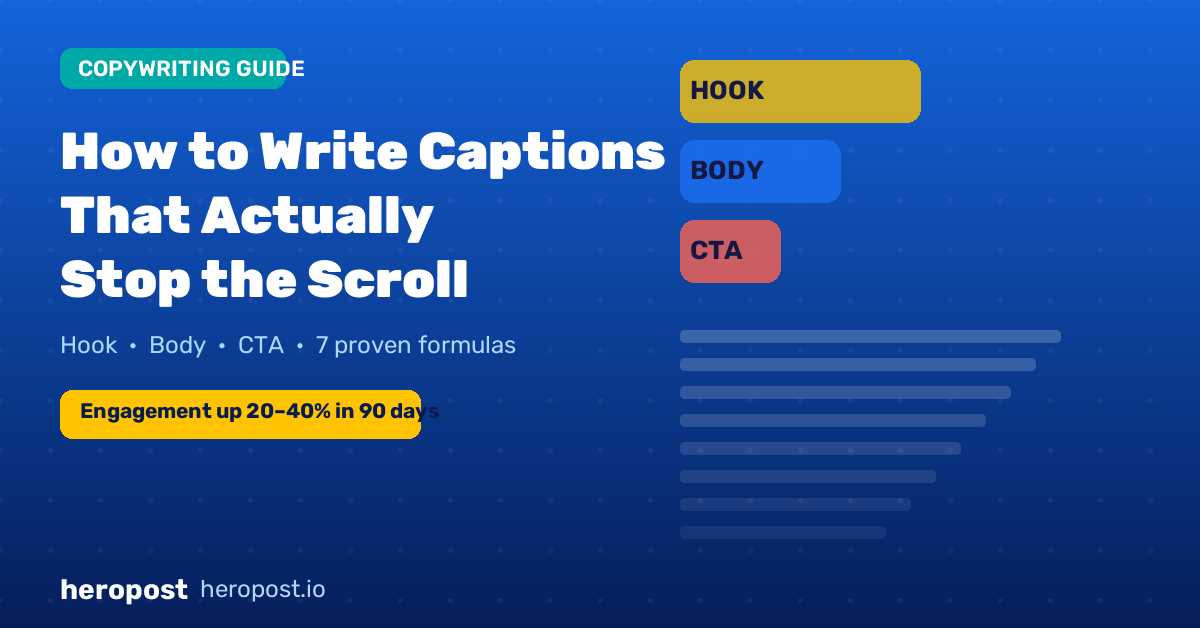
Every strong social media caption has the same basic structure:
1. Hook (first 1–2 lines)
The only part of the caption visible before the “more” click. Its job is to interrupt the scroll and compel the reader to expand. The hook should be either a bold statement, a specific question, or a teaser that creates curiosity.
2. Body (middle section)
Delivers the value promised by the hook. This can be a story, a list of tips, an explanation, a framework, or a narrative. The body should be scannable — short paragraphs, line breaks, emojis used as visual bullets where appropriate for the platform.
3. CTA (final line)
Tells the reader what to do next: comment with their answer, save the post for later, click the link in bio, tag a friend who needs this, or share to their story. Without a CTA, even engaged readers do not take the next step.
The 7 Highest-Performing Caption Hooks
1. The Bold Claim
Start with a statement that challenges a common belief or promises a surprising result.
“Most people have been scheduling their posts at completely the wrong time — here’s what the data actually shows.”
Works because: contradiction creates cognitive friction. The reader needs to resolve it.
2. The Specific Number
Lead with a specific, concrete number that implies depth and credibility.
“After analysing 3,400 posts across 6 platforms, here’s the posting frequency that actually grows accounts in 2026.”
Works because: specificity signals research and authority. Vague claims are easy to scroll past; specific claims demand attention.
3. The Relatable Problem
Open by naming a problem your audience experiences and usually does not say out loud.
“You know that feeling when you’ve spent two hours creating a post and it gets 11 likes. Here’s why — and what to do differently.”
Works because: recognition is a powerful scroll-stopper. When someone reads something that names their experience precisely, they feel seen.
4. The Open Loop
Begin a story or scenario and deliberately do not resolve it in the first two lines.
“Last April, I posted my worst-performing piece of content ever. It now gets me 40% of my leads. Here’s what happened.”
Works because: the human brain is compelled to close open loops. The reader must click “more” to resolve the tension.
5. The Direct Question
Ask a question that requires the reader to have an opinion or that speaks directly to their goals.
“What would you do with an extra 8 hours a week? Because that’s what most creators recover when they stop posting manually.”
Works because: rhetorical questions trigger active processing. The reader starts formulating an answer, which deepens engagement.
6. The Counterintuitive Insight
Lead with a statement that contradicts what the reader expects to hear.
“The more followers you have, the harder it gets to grow. Here’s why smaller accounts have a huge advantage right now.”
Works because: surprise creates attention. We scroll past what confirms our assumptions and stop for what challenges them.
7. The Practical Promise
Tell the reader exactly what they will be able to do after reading this post.
“By the time you finish reading this, you’ll have a 7-day content plan you can schedule in 30 minutes.”
Works because: clear value propositions justify the time investment of reading the caption fully.
Platform-Specific Caption Guidelines
- Optimal length: 125–300 words for feed posts. Shorter for casual/lifestyle content, longer for educational content.
- Line breaks: Use single line breaks frequently. Dense blocks of text perform poorly.
- Hashtags: 3–5 relevant hashtags, placed at the end of the caption or in the first comment.
- Emojis: Use as visual punctuation and list bullets. Avoid overuse — 3–8 emojis per caption is typically the range where they add rather than subtract credibility.
- CTA format: End with a direct, single-sentence CTA. “Save this for your next caption writing session” or “Drop your biggest caption struggle in the comments” outperform vague CTAs like “Follow for more.”
- Optimal length: 150–300 words for most posts. Longer format (400–700 words) works well for thought leadership and personal essays.
- No hashtags in the caption: Hashtags go at the very end in LinkedIn, after the main body. 3 relevant professional hashtags maximum.
- Line breaks: Crucial on LinkedIn. The algorithm truncates after 3 lines — use each of those lines to earn the click.
- Tone: Professional but personal. First-person narrative performs significantly better than brand-voice broadcast copy on LinkedIn.
- CTA: Ask for professional opinions or experience. “What’s the hardest part of scaling your content team?” generates more replies than generic CTAs.
- Optimal length: 40–80 words for high-reach posts. Shorter captions actually outperform longer ones on Facebook for most content categories.
- Storytelling format: Facebook still rewards personal narrative more than any other platform. A genuine story with a beginning, middle, and lesson consistently outperforms informational posts.
- Questions: End with a specific, easy-to-answer question. “What’s the one tool you cannot live without for social media scheduling?” drives more comments than open-ended questions.
TikTok
- Role of caption: Different from other platforms — the primary hook is the first 3 seconds of video, not the caption. Captions serve as a secondary keyword source for search discovery.
- Length: 100–150 characters. Brief, keyword-rich, and natural.
- Hashtags: 3–5 relevant hashtags including 1–2 niche-specific ones. Avoid the temptation to use #fyp or other mass hashtags — they have minimal positive impact.
The Caption Writing Process
The most efficient way to write captions is in batches, not one at a time. Here is the workflow:
Step 1 — Write 10 hook options for each post
Do not edit while you write. Generate 10 hooks for each post, then select the strongest one. This forces creative variety and prevents you from settling for the first acceptable option.
Step 2 — Expand the winning hook
Use the hook as the first line and build the body below it. Focus on value delivery first: what does the reader leave knowing or being able to do that they could not before?
Step 3 — Write 3 CTA options, then pick one
Different CTAs work better for different audiences and content types. “Save this,” “Tell me in the comments,” “Tag someone who needs this,” and “Click the link in bio” all serve different conversion goals. Pick the one that serves the specific goal of that post.
Step 4 — Edit for scannability
Read the caption and break up any paragraph longer than 2–3 lines. Remove any sentence that does not add to the value or move the narrative forward. A tight caption outperforms a padded one.
Step 5 — Schedule in advance
Use a tool like Heropost to write, save, and schedule captions across platforms in a single workflow. This keeps your draft and published captions organised in one place and eliminates the manual process of publishing each post at the optimal time for each platform.
A/B Testing Your Captions
The fastest way to improve caption performance is to test systematically. Two simple tests to run:
Hook A/B test: Post two similar pieces of content on the same platform in the same week, with different hook formats (e.g., a question hook vs. a bold claim hook). Track comment rate and save rate specifically.
CTA A/B test: Alternate between two CTAs on similar posts over four weeks (“Save this” vs. “Drop your answer below”). Track which generates more saves vs. comments and use the data to inform your default CTA choice for that content category.
Most brands skip this step and rely on intuition. The brands that systematically test captions improve their engagement rates 20–40 percent over 90 days.
Common Caption Mistakes to Fix Immediately
The generic opening: Starting with the brand name, “We are excited to announce,” or “Check out our latest post” is a guaranteed scroll-trigger. Nobody is waiting for your announcement.
No CTA: A post without a CTA generates significantly fewer comments and clicks than an equivalent post with one. Always tell your audience what to do next.
One giant block of text: Dense paragraphs are skipped. Use line breaks aggressively.
Keyword stuffing: Unnatural keyword cramming reads as spam. Write for humans first, and relevant keywords will appear naturally.
CTA that asks too much: “Follow us, comment below, share with three friends, and click the link in bio” asks for too many actions at once. One CTA per post.
Inconsistent tone: Your caption voice should be recognisable and consistent. Brands that oscillate between corporate-formal and casual-quirky build no distinctive identity.
Conclusion
Captions are not decoration. They are the direct line of communication between your brand and the person who stopped scrolling for a moment to pay attention.
Master the hook, deliver genuine value in the body, and end with a clear call to action. Write in batches, test your formats, and edit for scannability. Use a scheduling tool so you are writing captions from a place of planning, not panic.
The brands building the strongest social media presence in 2026 are not necessarily the ones with the biggest content budgets or the most followers. They are the ones who have learned to speak directly to the person reading — and give them a reason to stay.