Claude writes a good post. That was never the hard part.
The hard part is everything around the post: knowing what to say this week, making the image, putting it on six networks at the right time, and answering the comments when they come in. That's where most "AI for social media" setups stop. You get a nice paragraph in a chat window and then you're back to copy-pasting it into apps.
This is the setup that closes the gap. It has five roles, each with an exact prompt. It plans, writes, designs, schedules and replies, and nothing goes out until you approve it.
(Save this. You'll want the prompts when you set it up.)
Start with the strategy, not the tools
Before any agent, write one page Claude can lean on for everything else. Ours has four parts:
- Who it's for. One sentence. "Busy owners of small gyms who want more members without becoming content creators."
- What we're known for. Three themes, and no more than three. For a gym: coaching that fixes form, a beginner-friendly community, and a free first class.
- The mix. Tips, stories, proof, questions, and at most one promo in five posts.
- The voice. Five words, plus two posts you love, pasted in as examples.
Put that page in a Claude Project as its knowledge. Every role below reads it, and that one page is why the posts sound like you instead of like AI.
The team
Five roles. In Claude, each one is its own Project, or a saved prompt if you prefer one chat.
- The Strategist plans the week.
- The Writer turns each idea into a post per network.
- The Designer makes the image for each post.
- The Scheduler puts everything on the calendar at the right times, as drafts.
- The Community Manager reads new comments and messages and drafts the replies.
The first three are normal Claude work. The last two are the ones nobody automates, because Claude can't reach your accounts out of the box. Hold that thought.
The prompts
1. Strategist
Read the strategy page. Plan next week: 5 posts, Monday to Friday. For each one give the theme, the hook in under 12 words, the post type (tip / story / proof / question / promo) and why it fits this week. No more than one promo. Use what performed best recently if you can see it.
2. Writer
Write each planned post for these networks: Instagram, Facebook, LinkedIn and X. Same idea, adapted to each one: Instagram warm and short with 3–5 hashtags; LinkedIn first-person and practical; X under 280 characters with no hashtags. Follow the voice on the strategy page. Never invent prices, results or quotes.
3. Designer
For each post, describe one image that would stop the scroll for this audience. Real-looking photography, no text in the image, our brand colours where they fit naturally. Then create it.
4. Scheduler
Put every post on the calendar as a draft at the best time for each account, Monday to Friday next week. Attach its image. Don't publish anything. Tell me when they're ready to review.
5. Community Manager
Check the inbox for new comments and messages. Draft a reply to each one in our voice: answer the question, thank people who are kind, never argue, and send anything about billing or complaints to me instead. Show me the drafts before anything is sent.
Prompts 1 to 3 work in any Claude chat. Prompts 3 to 5 need Claude to actually do things in your social accounts: make images, put posts on a calendar, read and answer comments. That's the missing piece.
Then everything has to actually get published
This is where most setups die: you end up copy-pasting Claude's output into Instagram, then Facebook, then LinkedIn.
So give the last mile to a tool Claude can operate. We built Heropost for exactly this. It's a social media scheduler with an AI agent built in, and it connects to Claude so Claude can work in your accounts directly.
Once it's connected, Claude can:
- Draft, schedule and publish posts to every account you've connected (Instagram, Facebook, LinkedIn, X, TikTok, YouTube, Pinterest, Google Business Profile and more), one at a time or in bulk.
- Find your best posting times and read how your posts performed.
- Make on-brand images for a post.
- Read your inbox and draft replies to comments and messages.
- Use your brand kit and brand voice, so every role writes the same way.
There are 33 tools in all, and the full list is public.
Posts wait for your OK by default. Claude can't publish unless you give it that permission.
Setting it up (about 5 minutes)
- Create a Heropost account and connect your social accounts. The trial is 7 days, there's no card to enter, and nothing is charged when it ends.
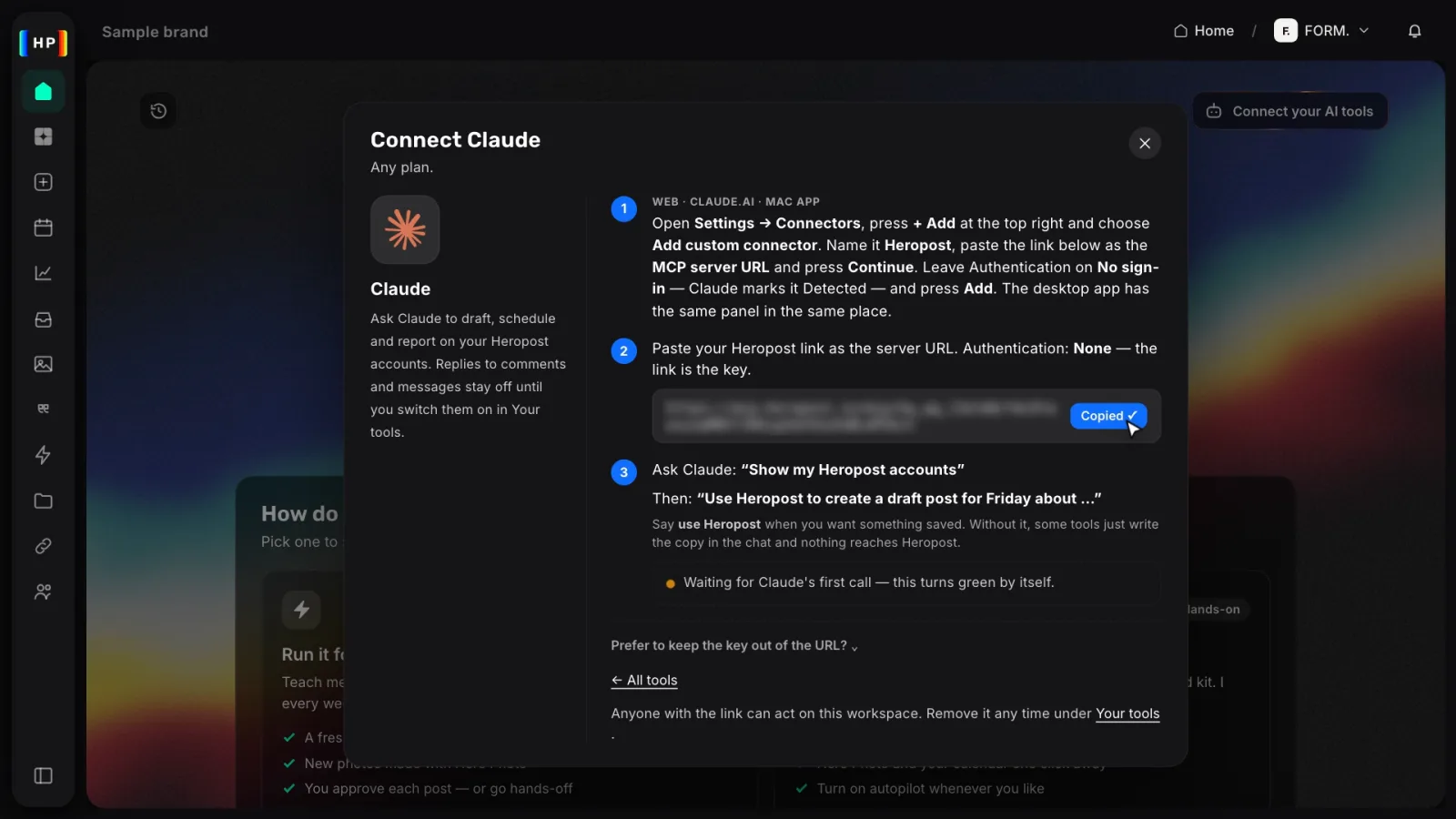
- Copy your link. In Heropost, open Home → Connect your AI tools → Claude and press Copy. The link is the key, so there's no separate sign-in or token.
- Add it to Claude.
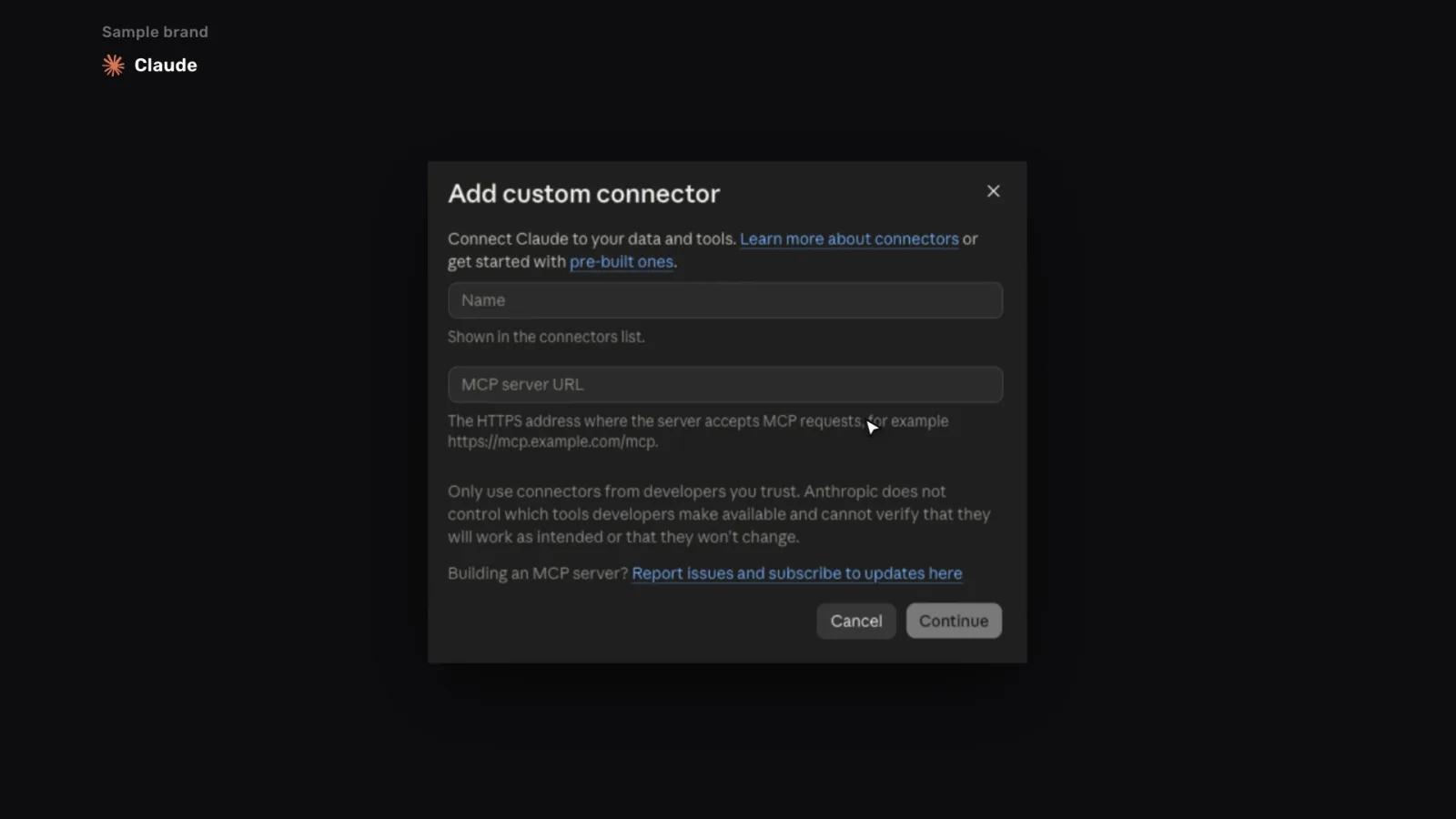
- In Claude, open Settings → Connectors, press + Add and choose Add custom connector.
- Name it Heropost, paste the link into MCP server URL and press Continue.
- Leave Authentication on No sign-in and press Add.
- The Claude app for Mac has the same panel.
- Test it. Ask Claude: "Use Heropost to create a draft post for Friday about our free first class." Then open Connect your AI tools → Activity in Heropost, and you'll see the draft it saved.
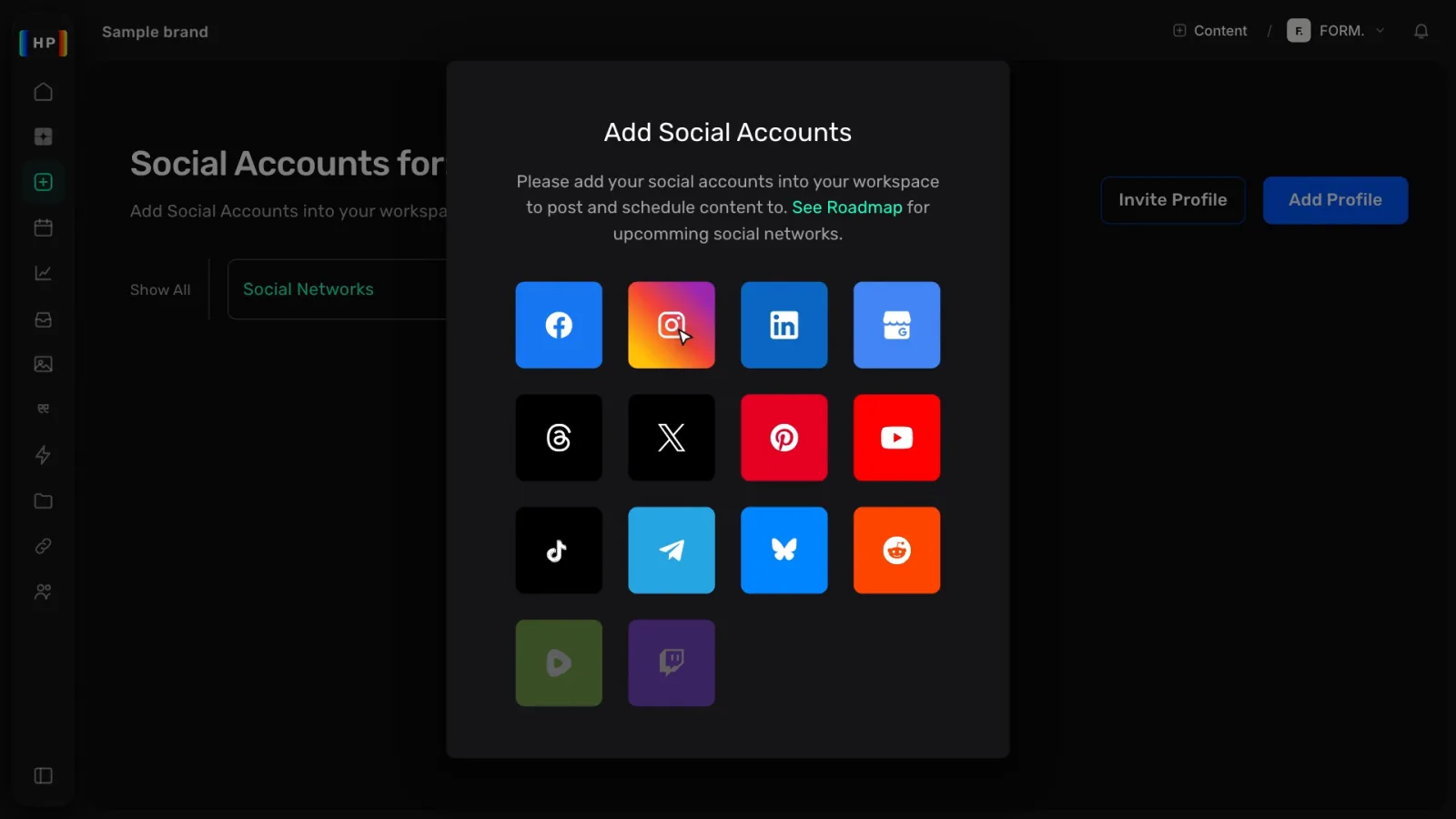
In Heropost you also choose what Claude may do, under Your tools → Claude → Permissions. Drafts are always allowed. Publishing, reading the inbox and which accounts it can use are switches you control. Replying in the inbox comes with the Agent Pro and Agency plans.
What a week looks like now
- Monday, 10 minutes. Run the Strategist, read the plan, change anything that feels off. Run the Writer and the Designer.
- Monday, 1 minute. Run the Scheduler. Five days of posts appear on your calendar as drafts, each with its image, at your best times.
- Tuesday morning, with coffee. Open Heropost, read the previews, fix a line or two, approve.
- Every evening, 5 minutes. Run the Community Manager. It drafts a reply to every new comment and message. Read them, edit the odd one, send.
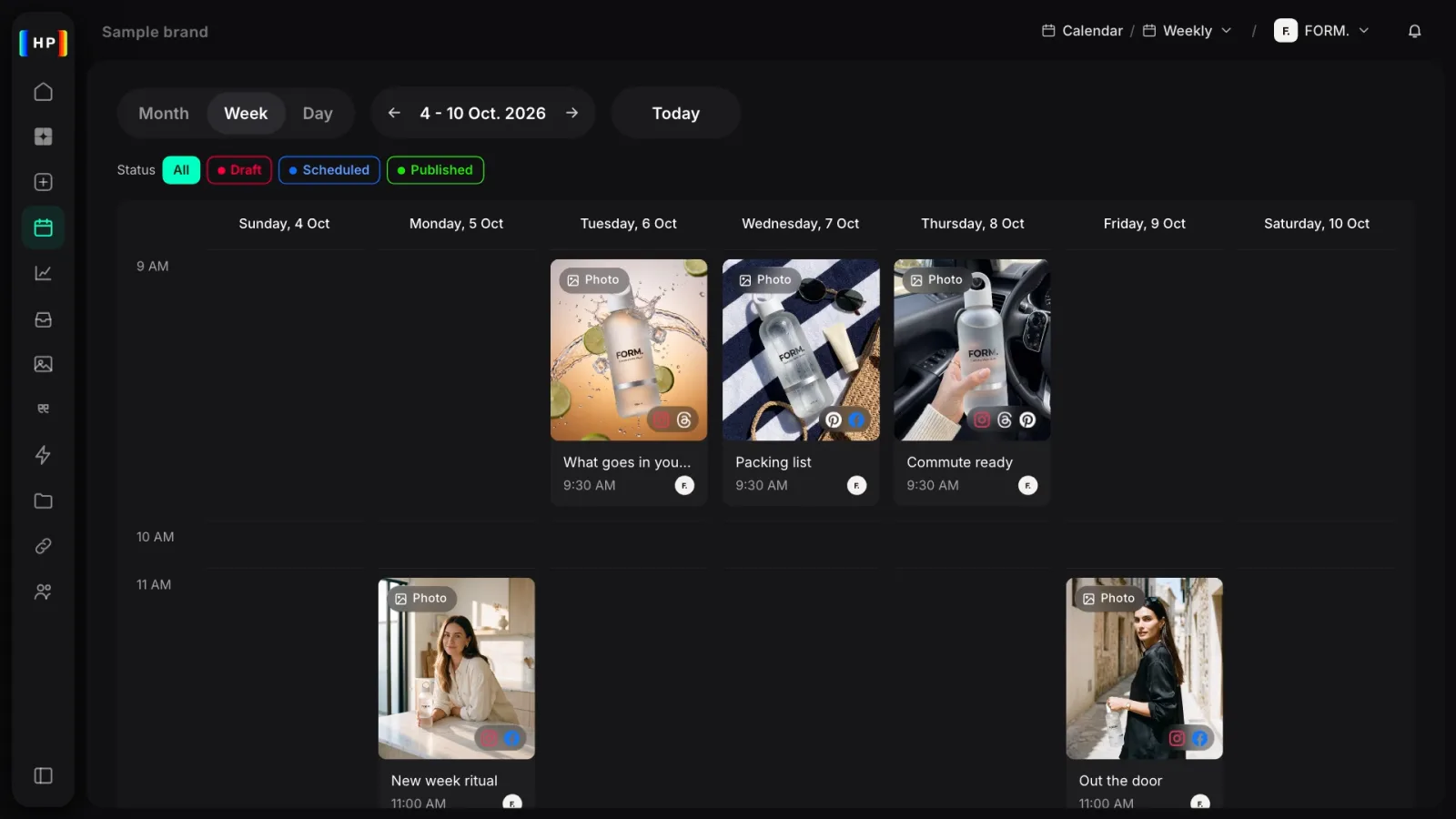
That's about half an hour a week for a full week of posts on every network plus a clean inbox. And you still read every word before it goes out.
Three things to get right
- Approval first, always. Keep "drafts only" until you trust the voice, then open up publishing for the boring stuff. Reputation is slow to build and fast to lose.
- One strategy page, not five. If each role gets its own instructions about tone, the posts drift. Every role should read the same page.
- Adapt per network, don't copy. The same sentence on LinkedIn and Instagram looks lazy on both. The Writer prompt above does the adapting for you.
If you run social media for clients
This gets better with every account you add. One workspace per client keeps their brand, voice and inbox apart. On Heropost's Agency plan there's no limit on accounts, so client number 12 costs the same as client number 1. Claude handles the planning and drafting for each client while you do the approving.
Try the publishing half today
The strategy page and the prompts are free. Copy them into Claude tonight.
For the half Claude can't do alone (calendars, images, publishing and the inbox), start a 7-day Heropost trial at heropost.ai. There's no card, and Claude is connected in about 5 minutes. Then run the Scheduler prompt and watch next week fill up.
If you build something with this, show me. We're collecting real setups to write about next.