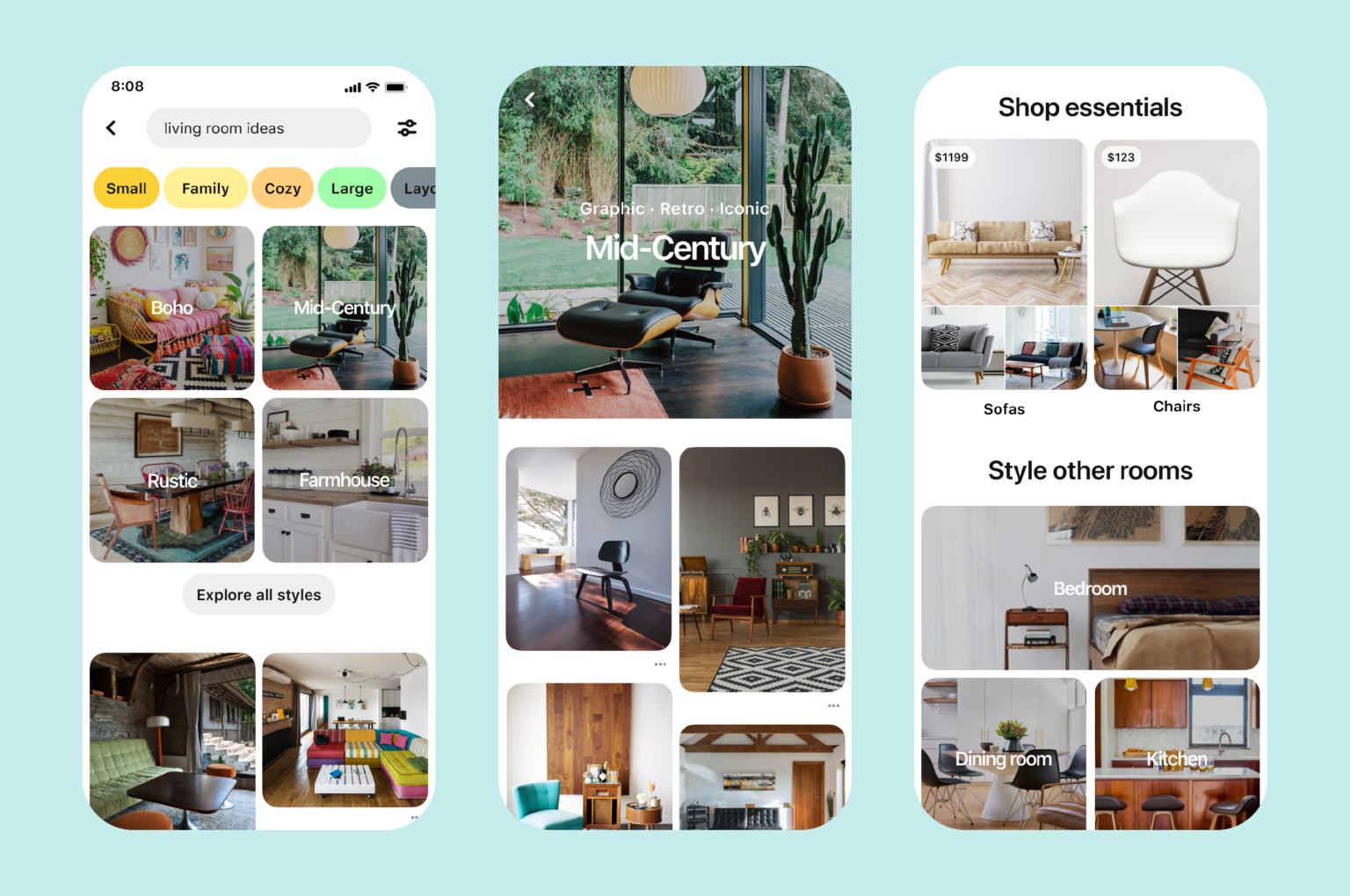
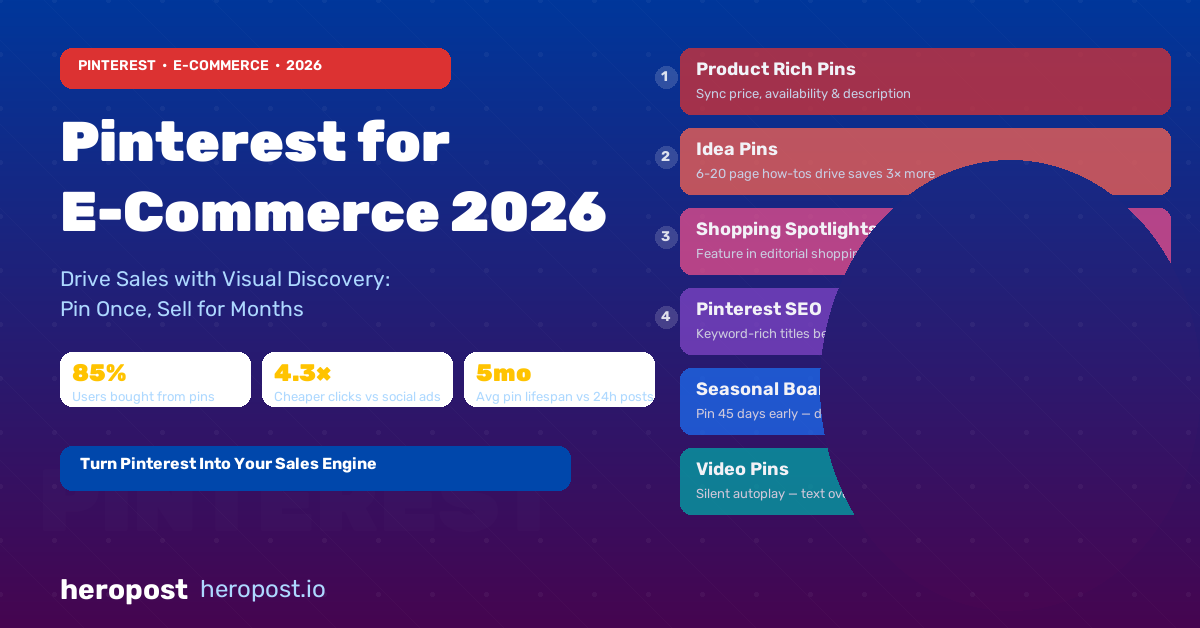
Pinterest is unlike every other social media platform. It is not primarily a communication tool or an entertainment feed — it is a visual search engine where people go when they are planning to buy. Eighty-five percent of weekly Pinterest users have made a purchase based on something they found on the platform. The average order value driven by Pinterest is consistently higher than Instagram, Facebook, or TikTok.
For e-commerce businesses, Pinterest is one of the most underutilised growth channels available. While competitors are bidding against each other on Google Shopping and paying increasing CPMs on Meta, a well-optimised Pinterest presence drives consistent, high-intent traffic at a fraction of the cost.
This guide covers everything e-commerce businesses need to succeed on Pinterest in 2026.
Understanding How Pinterest Works
Pinterest functions more like Google than Instagram. Users come to Pinterest with intent — they are searching for ideas, planning purchases, looking for inspiration. When they find something they like, they save it to boards (collections organised around a theme), creating a personal library they return to repeatedly.
This saving behaviour is what makes Pinterest uniquely powerful for e-commerce. A single Pin can continue driving traffic for months or years after it is published. Unlike Instagram posts (which typically expire within 24-48 hours in terms of reach) or TikTok videos (which spike and fade), Pinterest content has a long tail that compounds over time.
The Pinterest algorithm determines what content appears in search results and in users’ home feeds based on:
- Keyword relevance (text in Pin titles and descriptions)
- Image quality and visual appeal
- Save rate (how often people save the Pin to their boards)
- Click-through rate (how often people click through to your website)
- Account authority (how established and active your account is)
Setting Up Your Pinterest Business Account for E-Commerce
Before anything else, you need a Pinterest Business account (free) and a properly configured profile.
Essential setup steps:
- Claim your website: Connect your website to your Pinterest account through the domain verification process. This enables rich analytics that show you which Pins are driving the most traffic.
- Install the Pinterest Tag: This is Pinterest’s pixel equivalent — a small piece of code placed on your website that allows you to track conversions, build retargeting audiences, and measure ROI from both organic and paid Pinterest activity.
- Enable Product Catalogue sync: If you use Shopify, WooCommerce, or most major e-commerce platforms, you can sync your product catalogue directly to Pinterest. This automatically creates Product Pins for your entire inventory, complete with real-time pricing and availability.
- Set up Pinterest Shopping: Once your catalogue is connected, enable Pinterest Shopping to allow users to purchase directly from Pins or click through directly to your product pages.
- Optimise your profile: Write a clear, keyword-rich bio that describes exactly what your store sells and who it is for. Use your logo as your profile image.
Creating Product Pins That Convert
Pinterest Pins that drive e-commerce sales share several characteristics:
Vertical images (2:3 ratio) perform best. Pinterest is a mobile-first platform and vertical images take up more screen real estate. Use 1000x1500px as your standard image size.
Lifestyle images outperform pure product shots. Show your product being used in context, not floating on a white background. A cushion arranged on a stylish sofa. A kitchen gadget in use during a real meal. A bag worn by someone on a city street.
Text overlays increase saves. Adding a short, benefit-focused text overlay to your image — “5 ways to style this piece” or “Our bestseller, restocked” — significantly increases both saves and click-throughs.
Write keyword-rich titles and descriptions. Think like a search engine optimiser. What would someone searching for this product type on Pinterest? Include those terms naturally in your Pin title and the first few lines of your description.
Organising Your Boards for Discoverability
Your boards are the backbone of your Pinterest strategy. They determine how your content is categorised and how easily new users can navigate your profile.
Best practices for e-commerce boards:
- Create boards that map directly to your product categories
- Add keyword-rich board titles and descriptions (Pinterest’s algorithm reads these)
- Include at least 20 Pins in each board before making it visible
- Mix your own product Pins with curated, aspirational content that complements your products — this increases the value of your boards for visitors and improves the quality signal Pinterest associates with your account
- Create seasonal boards in advance of key shopping periods (Christmas, Valentine’s Day, Back to School)
Keyword Strategy for Pinterest SEO
Because Pinterest is a search engine, keyword strategy is essential. The research process is similar to Google keyword research, adapted for Pinterest’s visual-first context.
How to research Pinterest keywords:
- Use the Pinterest search bar and note what autocomplete suggestions appear for your category
- Click through to Pinterest’s guided search bubbles that appear below the search bar — these reveal the sub-topics within your niche that users are exploring
- Use the Pinterest Trends tool (available in business accounts) to identify seasonal peaks in search volume for your product categories
Where to include keywords:
- Pin titles
- Pin descriptions (first 100 characters are most important)
- Board names and descriptions
- Your profile bio
- Alt text for images uploaded through your website
The Pinterest Content Calendar for E-Commerce
Consistency drives growth on Pinterest. Publishing multiple times per day is optimal for e-commerce accounts, but this is manageable when you factor in that Pinterest content includes both original Pins and re-saves of other people’s content.
A sustainable Pinterest content cadence for an e-commerce business looks like this:
- 3-5 original Product Pins per day (from your product catalogue, either automated or manually created)
- 5-10 re-saves of curated, relevant content from other accounts
- 1-2 editorial/lifestyle Pins per day — seasonal content, gift guides, how-to content, behind-the-scenes
Using a scheduling tool significantly reduces the time burden of maintaining this cadence. Heropost supports Pinterest scheduling, allowing you to batch-create and schedule pins across your calendar in one session rather than manually posting throughout the day.
Measuring Pinterest Performance for E-Commerce
The metrics that matter:
- Outbound link clicks: The primary metric for e-commerce — how many clicks your Pins are driving to your product pages
- Saves: How often users are saving your Pins to their boards — a strong signal of interest and a driver of long-term reach
- Impressions: How many times your Pins have been seen — indicates reach but not necessarily intent
- Conversion events (via Pinterest Tag): Add-to-cart, checkout initiated, purchase — the bottom-of-funnel metrics that tie Pinterest activity directly to revenue
Review performance monthly. Repin your best-performing content in new formats or updated seasonal contexts to extend its life.
Conclusion
Pinterest’s combination of high purchase intent, long content life, and visual search architecture makes it one of the highest-ROI platforms for e-commerce in 2026. Yet most e-commerce businesses treat it as an afterthought, if they use it at all. Setting up a properly optimised Pinterest presence — catalogue sync, strong imagery, keyword-rich descriptions, and consistent posting — creates a traffic and revenue channel that continues delivering returns long after the initial investment of time.